Skip to content
AnkerGames - Home
Desktop Explorer

Desktop Explorer

Rate & review
5.0/5·1 review
Log in to rate 100% recommend Read reviews
PC675.8 MB2026
V 1.0.66

Your uncle has given you his old PC as living inheritance. To your surprise, it still turns on! Inside, a letter tasks you with investigating a missing person’s case along with a mysterious puzzle game named Desktop Explorer. You’ll learn that your uncle wasn’t the only one who used this computer before, and that the program inside it has a deeper role in this 90s atmospheric digital mystery.

Desktop Explorer Free Download - Game Review

This game contains occasional flashing lights, screen effects, and rapidly changing imagery that may affect players with photosensitive epilepsy or light sensitivities. All artwork, writing, music, sound design, programming, and game assets have been created by our development team and through traditional creative processes.

Features:

  • Explore a 90’s operating system where every window hides a clue.
  • Solve puzzles using classic OS tools like: file explorers, chat logs, and corrupted applications.
  • Dig through abandoned software and forgotten files to uncover the truth.
  • Experience a psychological horror mystery told through eerie interfaces and fragmented memories.
  • Navigate immersive 3D environments rendered in retro-digital aesthetics.
  • Listen to an original evocative soundtrack and nostalgic computer sounds
  • Play classic pre-installed computer games

Game Screenshots Gallery

Desktop Explorer screenshot 1
Desktop Explorer - Screenshot 1

Desktop Explorer screenshot 2
Desktop Explorer - Screenshot 2
Desktop Explorer screenshot 3
Desktop Explorer - Screenshot 3
Desktop Explorer screenshot 4
Desktop Explorer - Screenshot 4

Installation Guide

Step-by-step setup process

1
Game is pre-installed / portable, therefore you do not need to install the game.
2
Just extract the rar / zip file.
3
Simply launch the Run Me!.bat inside the game folder.

Important Notes

Please review these important details before installation

Install necessary apps from Redist or _CommonRedist to ensure game launches without any problems.

Always extract game in Antivirus / Defender excluded folder - Please check our FAQs to know why it is important.

Always run the game as administrator.

For detailed guide, make sure to read Installation Guide.txt inside the game files.

System Requirements

Minimum specifications needed

OS *
Windows 7 SP1+ (or later)
Processor
Intel or AMD Dual Core at 2 GHz or better
Memory
2 GB RAM
Graphics
Intel Graphics 4400 or better
DirectX
Version 11
Storage
400 MB available space

Staff test record

Passed
Build tested
Build 25919174
Environment
Windows 10
Tested

Desktop Explorer update history

  1. Updated from v1.0.58 to v1.0.66 · Build 25919174 · 0.7 GB

Recommended For You

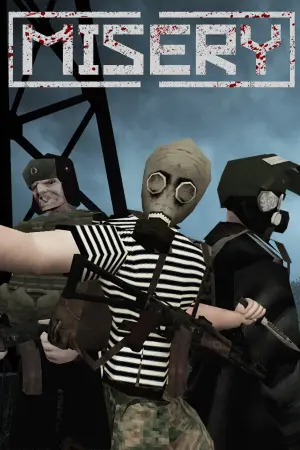
MISERY
MISERY
B 25711265

Action

MISERY

20253.50 GB

MISERY
SIMULACRA
SIMULACRA
V 1.0.53

Adventure

SIMULACRA

20170.49 GB

SIMULACRA
Rivage
Rivage
V 1.3.5

Adventure

Rivage

20263.20 GB

Rivage
Endacopia
Endacopia
B 24625223

Adventure

Endacopia

20261.55 GB

Endacopia

Community voices

Player perspectives

Spot the sentiment at a glance, then dive into the stories that matter to you.

Sort by

Average

/5
5.0

recommend

100%

written

0

verified

1

Sentiment mix1 review
100% Positive
0% Neutral
0% Critical

Quick filters

Rating spread

5★
1
4★
0
3★
0
2★
0
1★
0

Fresh off the press

1 month ago 5.0/5

Look for it at the top of the stream.
No reviews match your filters yet.

Sign in to join the discussion

Discussion

Comments

Start the conversation

Be the first one to share your thoughts!