Skip to content
AnkerGames - Home
FINAL FANTASY XVI

FINAL FANTASY XVI

Rate & review
4.5/5·6 reviews
Log in to rate 83% recommend Read reviews
PC153.4 GB2023
V 1.03

The first fully fledged Action RPG in the mainline Final Fantasy series. An epic dark fantasy world where the fate of the land is decided by the mighty Eikons and the Dominants who wield them. This is the tale of Clive Rosfield, a warrior granted the title “First Shield of Rosaria” and sworn to protect his younger brother Joshua, the dominant of the Phoenix.

FINAL FANTASY XVI Free Download - Game Review

A plethora of powerful swordplay techniques and Eikonic abilities lie within Clive's remit—and it is up to you to decide which ones you wish to learn or upgrade. If you're having trouble choosing, upgrades can be unlocked automatically. Story-focused mode is recommended for those players who are less comfortable with action games and wish to focus more on the game's story elements. In this mode, Clive will automatically evade some attacks, and epic Eikonic combos can be triggered with simple button presses. Action-focused mode, where Clive's every action is controlled by the player, is available for those who are confident in their skill—or want to test it. FINAL FANTASY VII REBIRTH

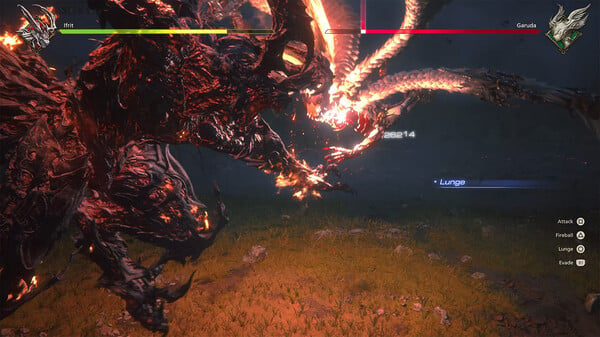
Game Screenshots Gallery

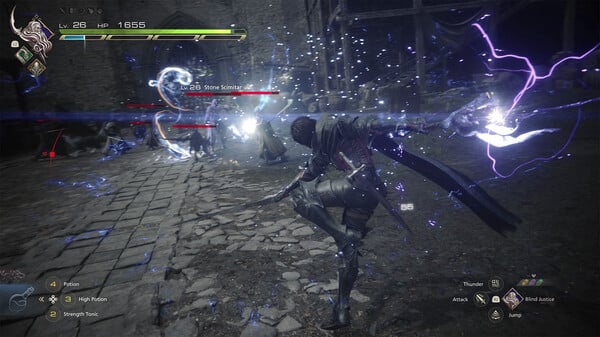
FINAL FANTASY XVI screenshot 1
FINAL FANTASY XVI - Screenshot 1

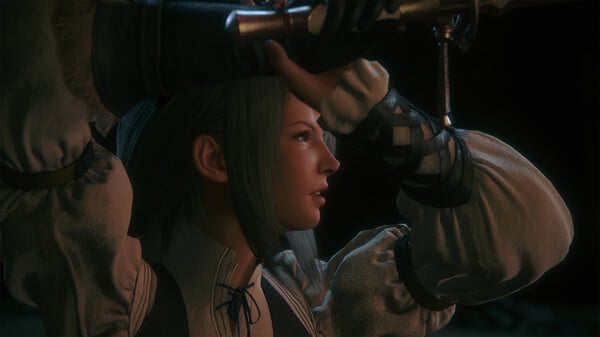
FINAL FANTASY XVI screenshot 2
FINAL FANTASY XVI - Screenshot 2
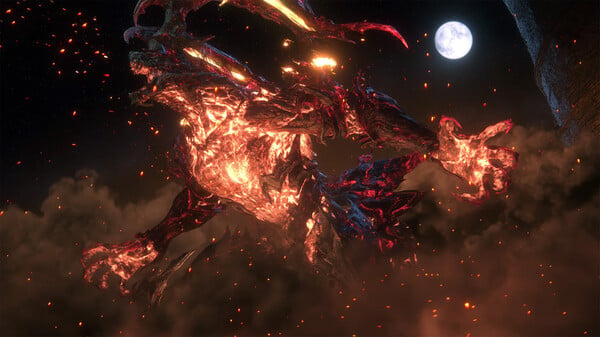
FINAL FANTASY XVI screenshot 3
FINAL FANTASY XVI - Screenshot 3
FINAL FANTASY XVI screenshot 4
FINAL FANTASY XVI - Screenshot 4

Installation Guide

Step-by-step setup process

1
Game is pre-installed / portable, therefore you do not need to install the game.
2
Just extract the rar / zip file.
3
Simply launch the game ffxvi.exe . inside the game folder.

Important Notes

Please review these important details before installation

Install necessary apps from Redist or _CommonRedist to ensure game launches without any problems.

Always extract game in Antivirus / Defender excluded folder - Please check our FAQs to know why it is important.

Always run the game as administrator

For detailed guide, make sure to read Installation Guide.txt inside the game files.

System Requirements

Minimum specifications needed

Requires a 64-bit processor and operating system

OS
Windows® 10 / 11 64-bit
Processor
AMD Ryzen™ 7 5700X / Intel® Core™ i7-10700
Memory
16 GB RAM
Graphics
AMD Radeon™ RX 6700 XT / NVIDIA® GeForce® RTX 2080
DirectX
Version 12
Storage
170 GB available space

Recommended For You

FINAL FANTASY IX
FINAL FANTASY IX
B 5378074

Adventure

FINAL FANTASY IX

20165.00 GB

FINAL FANTASY IX

Community voices

Player perspectives

Spot the sentiment at a glance, then dive into the stories that matter to you.

Sort by

Average

/5
4.5

recommend

83%

written

1

verified

1

Sentiment mix6 reviews
83% Positive
17% Neutral
0% Critical

Quick filters

Rating spread

5★
4
4★
1
3★
1
2★
0
1★
0

Fresh off the press

2 months ago 5.0/5

Look for it at the top of the stream.

satoshiro18
satoshiro18 2 months agoEdited Dungeon Scout 44 5.0/5

very recommend game

Sign in to join the discussion

Discussion

Comments 11

BestNewestOldestReplies
jojo

jojo

· edited

Is there DLC??

00Reply
1reply
Lonecart

Lonecart

· edited

is there anyway to like delete the additional language files to free up the space? ( i just want the english language)

10Reply
1reply
Atreyu

Atreyu

· edited

So every 30 or 45 mins the game closes and i have relaunch any ideas or fixes?

20Reply
1reply
peter

peter

There is an issue with callback to achievements. Fix it load 100% completed saves. Full fix yoinked from reddit: Use this: https://www.nexusmods.com/finalfantasy16/mods/82 FFXVI saves files in PNGs. All you need to do is go to Documents/My Games/Final Fantasy XVI/[EGS or Steam]/[ID] and copy-paste the image. They are named 00## (like 0001, 0002, etc).Don't forget to take your save files out first and put them in a separate folder.Put the saves in from this link I postedLoad save files 2 and 1 and let the game crash twice when loading both files. (It's unlocking achievements in the game technically) after you do that you should then be able to load both save 1 and 2 normally.Now you can delete them.Put your save files back in afterwards and no more crashing.
30Reply
Zoro

Zoro

Admin
Update graphics drivers, close background apps, lower graphics settings, disable overlays, and check for system updates.
00Reply
peter

peter

game is freezing every now and then, is there a fix for that?
00Reply
2replies
peter

peter

Hi Zoro, was the freezing issues resolved on this release?
00Reply
Zoro

Zoro

Admin
Ensure your system meets the game requirements.
10Reply
peter

peter

my ffxvi won't launch. What is the problem? I tried everything from the guide but still won't launch
00Reply
1reply
Zoro

Zoro

Admin
We will add this feature soon
00Reply
Yash

Yash

please add torrent downloads features too in downloads option it will remove the step of extracting big games like these (and won't require twice as much space)
00Reply
1reply